Query Management System
A role-based operations platform that carries a travel query from lead to booking — replacing spreadsheets, email chains and manual follow-ups with one accountable system.
About the project
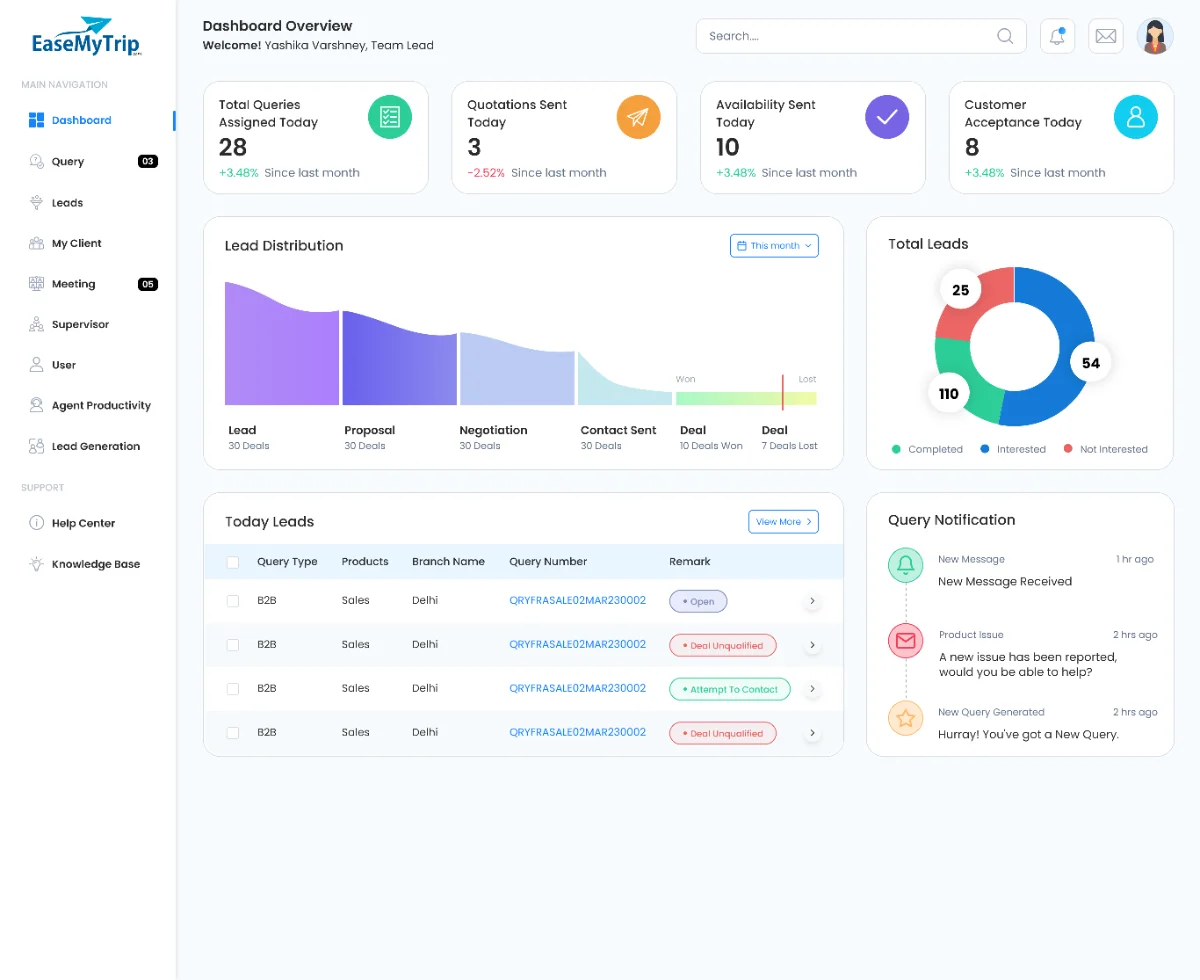
QMS is the daily surface for thousands of travel requests across B2C, B2B and corporate verticals. It handles the full lifecycle of a customer query: intake, qualification, quotation, holiday-package construction, meetings, closure and performance review.
Unlike a customer-facing product, success is measured in seconds saved per task and in handoffs that no longer drop information.
- —Track every query and its owner in real time
- —Build and price holiday packages inside the flow
- —Make agent productivity visible without micromanagement
- —Give each role exactly the permissions its job needs
My responsibility
A query lived in six places and belonged to no one.
- —Manual assignment left leads idle and created duplicates
- —Customer history scattered across inboxes and call logs
- —Packages built in spreadsheets, priced by hand, versioned by filename
- —Leads had no view of workload, so escalations surfaced too late
One platform, accountable at every step.
- —Rules-based routing by vertical and current load
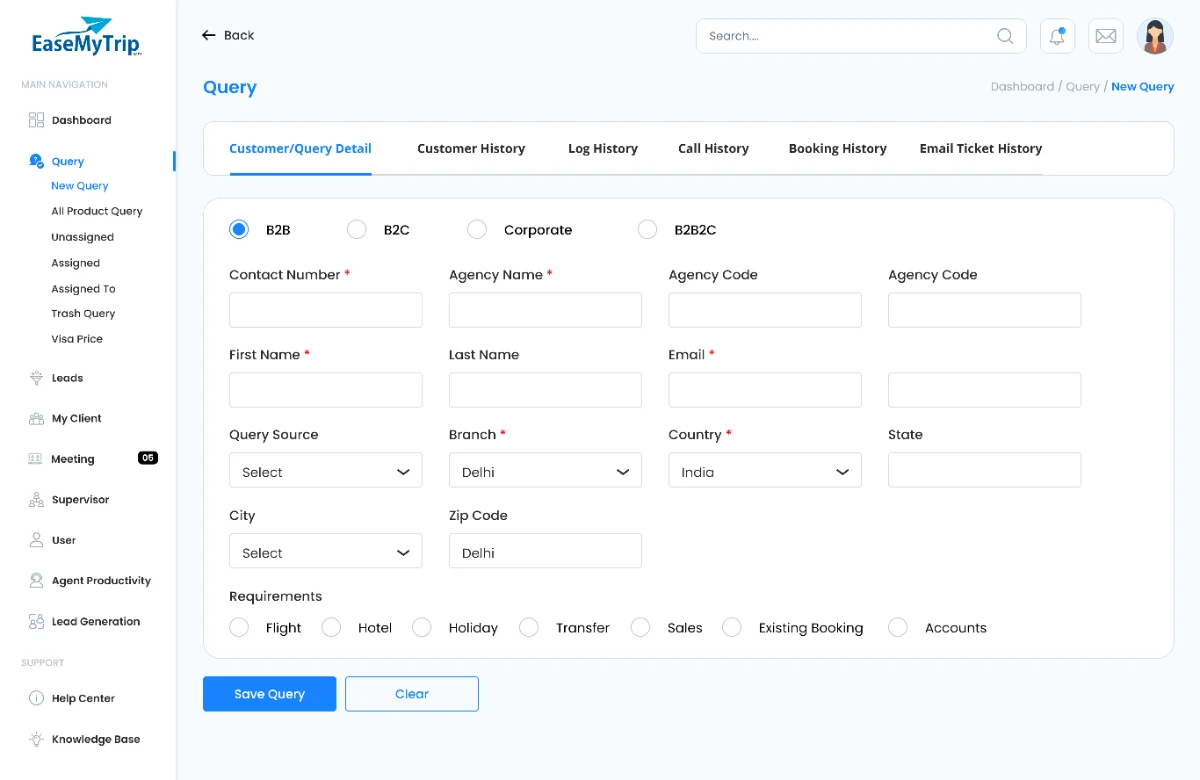
- —One query view holding profile, calls, tickets and bookings
- —Package builder with automated margin and GST
- —Workload and productivity visible to leads daily
Scope of work
- Discovery & interviews3 weeks
- Workflow & IA4 weeks
- Wireframes5 weeks
- UI & design system8 weeks
- Handoff & QA8 weeks
Role-based access
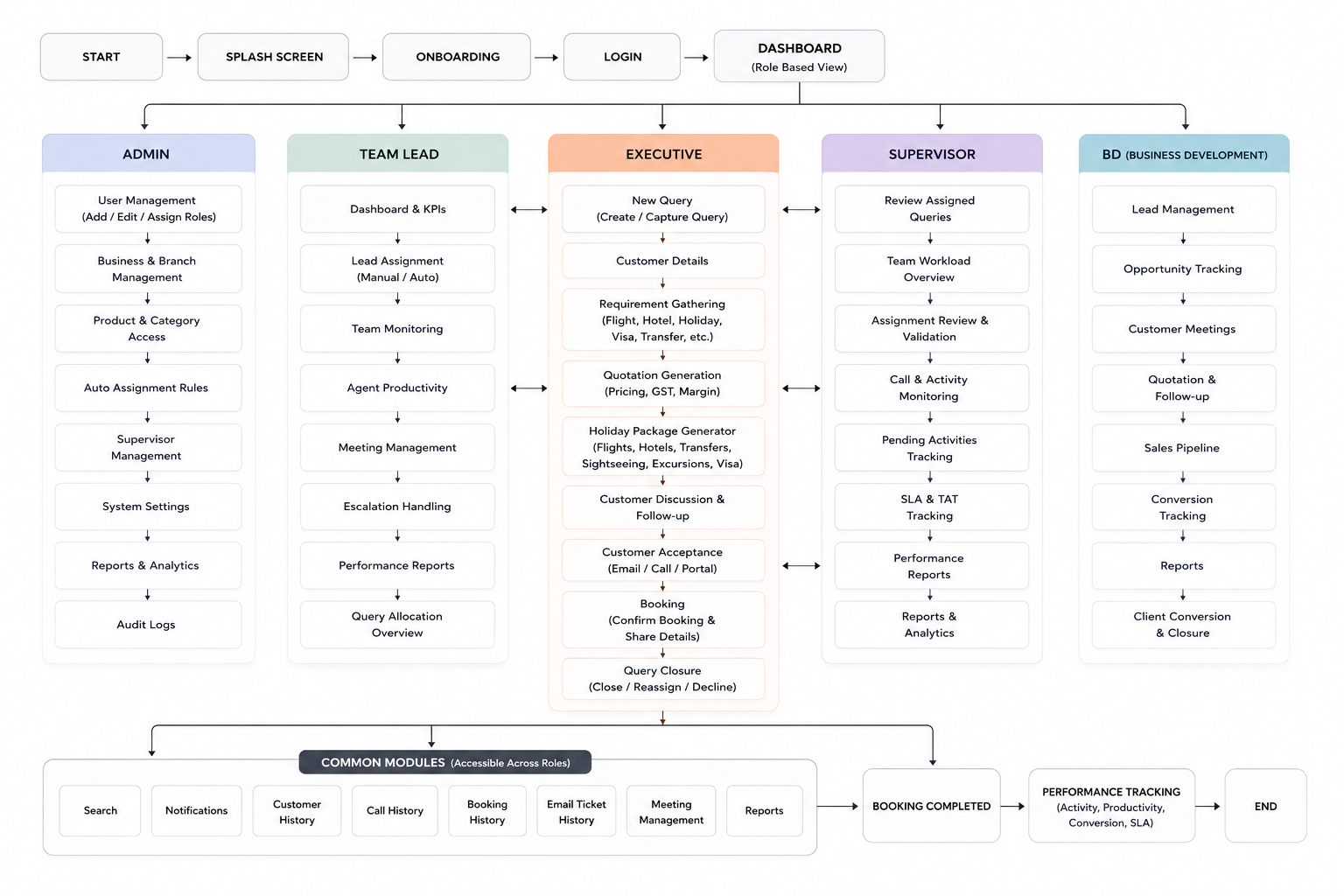
Rather than one dense interface with permissions bolted on, each role gets its own default view, navigation set and primary action. Switch between them:
The primary user. Works a personal queue end to end, from first call to accepted quotation.
- —Handle assigned queries
- —Create quotations & packages
- —Log calls and customer history
My queries — sorted by follow-up time, with the next action on each row.
User flow
Web, call centre, partner, corporate
Rules-based routing by vertical and load
Contact, notes and call outcome logged inline
Flights, stays, transfers, margin, GST
Revisions tracked against one query
Supervisor validates before archive
Closed queries feed productivity reporting
Design foundations
Design components
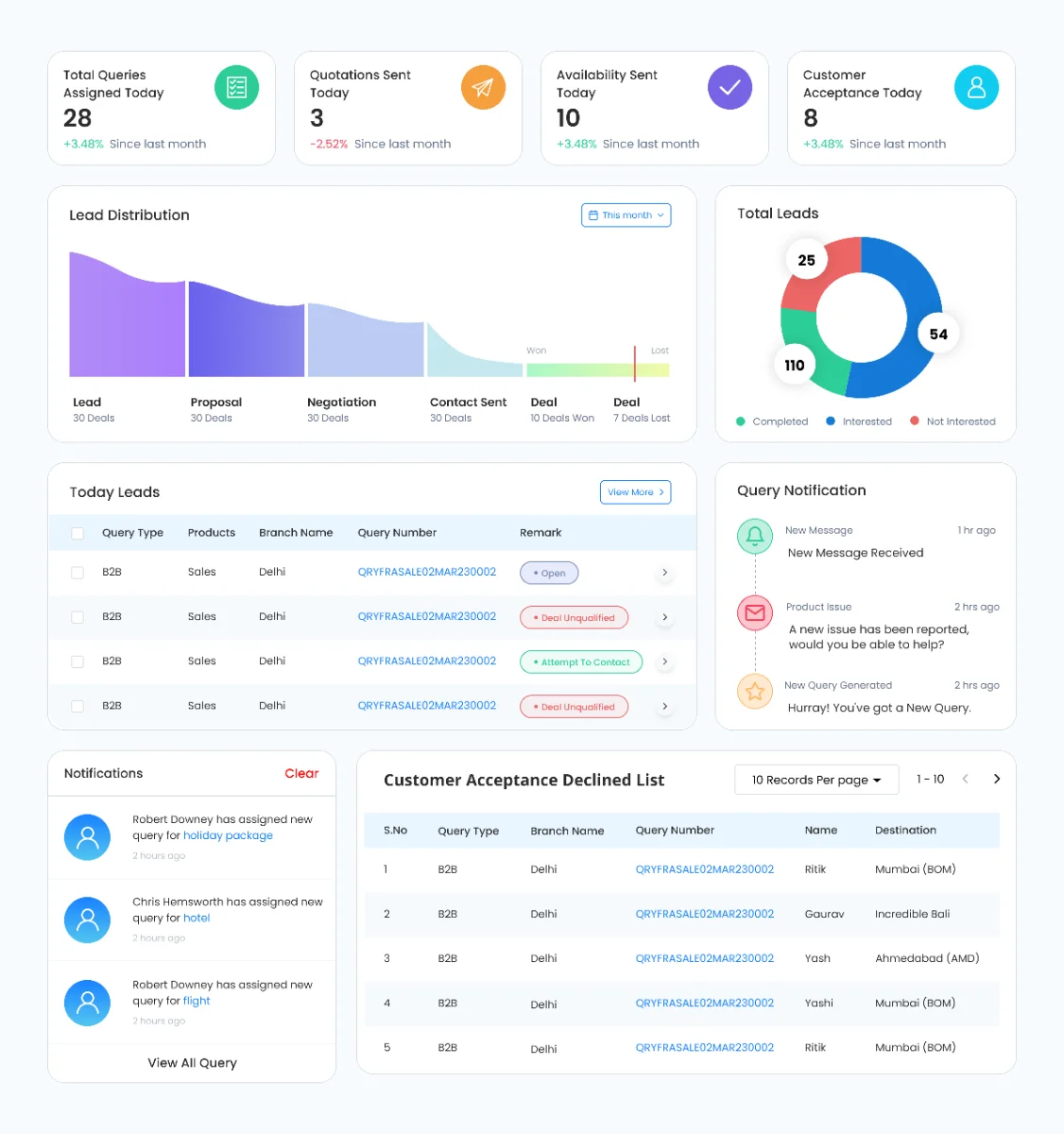
One component vocabulary across all eight modules — tables, filters, status chips, KPI cards and the query drawer — so familiarity transfers between screens.
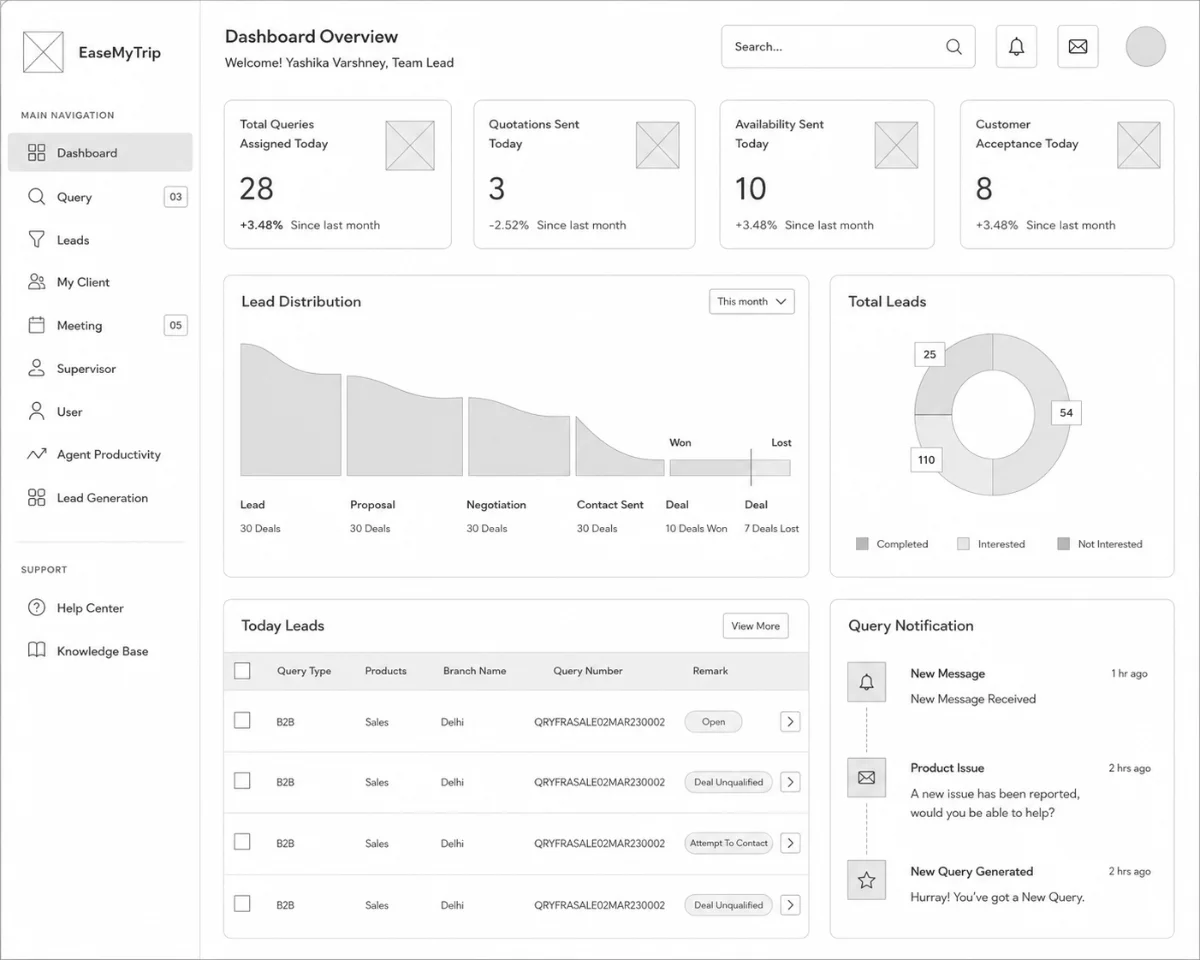
Mid-fidelity wireframes
Navigation was flattened until any critical workflow sat at most two clicks from the dashboard, then tested with agents against their real query backlog.
Visual design
KPI cards in scan order: assigned, quoted, pending, accepted. Below them a conversion funnel and an action table that never lets a lead go unanswered.
Profile, call history, email tickets, booking history and status resolve on a single view — the change that removed the most context switching from an agent's day.
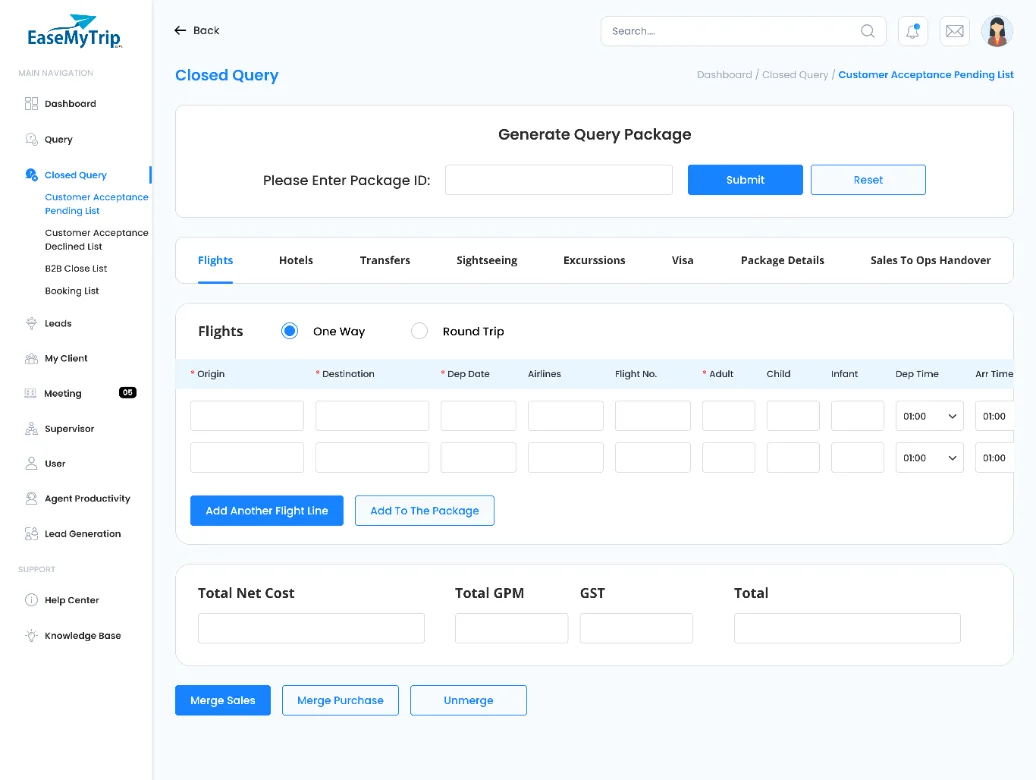
A holiday package used to be four spreadsheets and a phone call. It became one progressive flow: itinerary skeleton, then inventory, then commercials — with margin and GST calculated as you build.
- —Flights, hotels and transfers in one basket
- —Sightseeing and excursions per day
- —Automated margin and GST computation
Challenges & outcomes
Flexible enough for each vertical, consistent enough to stay one product.
Tables of forty columns had to stay readable and actionable on a laptop.
Aligning operations, sales, product, engineering and QA without design by committee.
- 01Queries and leads centralised in a single platform
- 02Standardised workflows across departments
- 03Repetitive re-entry of customer data removed
- 04Quotation and package creation collapsed into one flow
- 05Workload and productivity visible to leads daily
Reflection
QMS was never a dashboard redesign. It was the construction of an operations platform around workflows that had grown informally for years — which meant most of the design work was deciding what the system should refuse to allow.
Building for internal users taught me to trade visual ambition for legibility under load, and to treat business logic as a material rather than a constraint handed down. Unifying fragmented processes into one role-based system turned scattered effort into something structured and scalable.