EasyMail — a mail client that had to behave like an operations console.
Thousands of support emails a day, six departments, no shared workflow. EasyMail folds email, ticketing, automation and admin control into one workspace — and scales as new business units are added.
- ROLE
- UI/UX Designer
- COMPANY
- EaseMyTrip
- DURATION
- 6 months
- PLATFORM
- Web application
- SCOPE
- Research → handoff
The problem was never the inbox.
As EaseMyTrip expanded across travel verticals, support and operations teams were handling thousands of emails and service requests every day. Each department ran its own workflow — so communication fragmented, tickets moved by hand, and nobody upstream could see what was happening.
EasyMail centralises email, ticket management, workflow automation and administrative control in one place. Unlike a traditional mail client, it treats a conversation and the work it generates as the same object.
“The goal was not to redesign an email interface — it was to build an operational platform that could scale with the organisation.”
What was breaking
- 01Email and ticket management lived in two disconnected systems.
- 02Agents tracked ticket progress manually, which cost hours and lost history.
- 03Leads had no view of workload distribution or team performance.
- 04Every department invented its own inconsistent, manual process.
- 05At volume, simply finding the right thread became the bottleneck.
Project goals
My responsibilities
End-to-end product design, working alongside product managers, engineers, QA and business stakeholders across six months of releases.
Three roles, one product.
Each role touches the same data and needs a completely different view of it. Getting the hierarchy right per role was most of the work.
Support Executive
- — Resolve tickets quickly
- — Reply to customer email in context
- — Track progress without asking anyone
- — Constant tool switching
- — Ticket history disappears
- — Status updated by hand
Team Lead
- — Monitor overall workload
- — Assign and rebalance tickets
- — Track team performance
- — Limited operational visibility
- — Reports assembled manually
- — Distribution is guesswork
Administrator
- — Manage departments
- — Configure roles and permissions
- — Maintain automated workflows
- — User management is complex
- — Permissions drift out of sync
- — Configuration is scattered
Modular by default.
New departments and workflows can be added without touching the core product. Two trees: the workspace an agent lives in, and the configuration layer behind it.
Dashboard workspace
├── Inbox
├── MyBox
├── Open
├── Follow Up
├── Pending
├── Closed
├── Sent
├── Spam
└── Reports
Administration
├── Role Master
├── Department Master
├── User Department Mapping
├── Labels
└── Settings
Ticket lifecycle — one request, five states
The biggest UX challenge was collapsing an ambiguous, department-specific process into five states everyone could agree on.
- S1Customer email arrives
Auto-routed to a department by rule.
- S2Inbox
Unclaimed, ticket ID generated automatically.
- S3Assigned — MyBox
Ownership is explicit and visible to the lead.
- S4Open & Follow Up
Active resolution, with automated reminders.
- S5Resolved & Closed
Auto-closure rules per department.
The workspace.
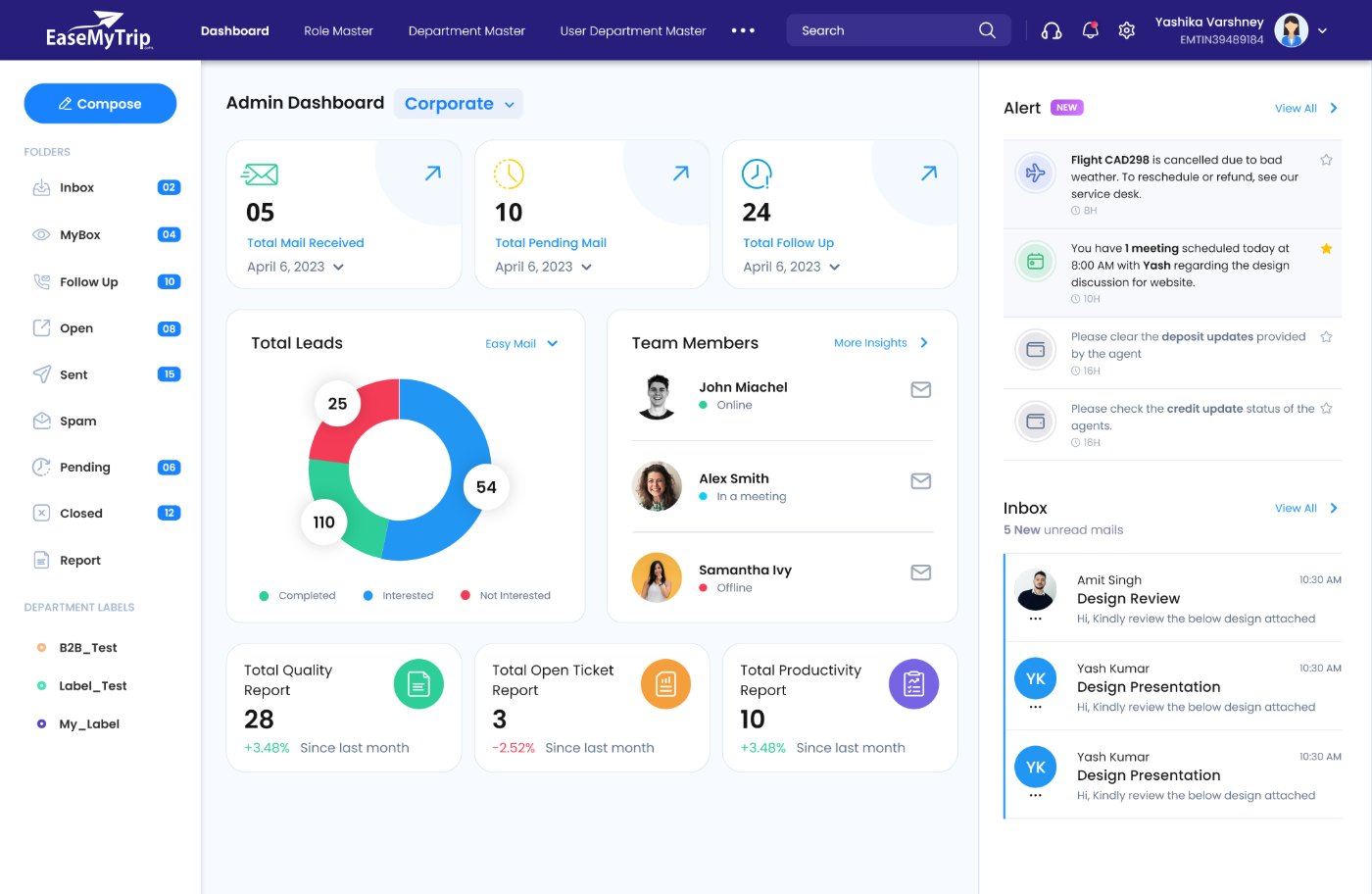
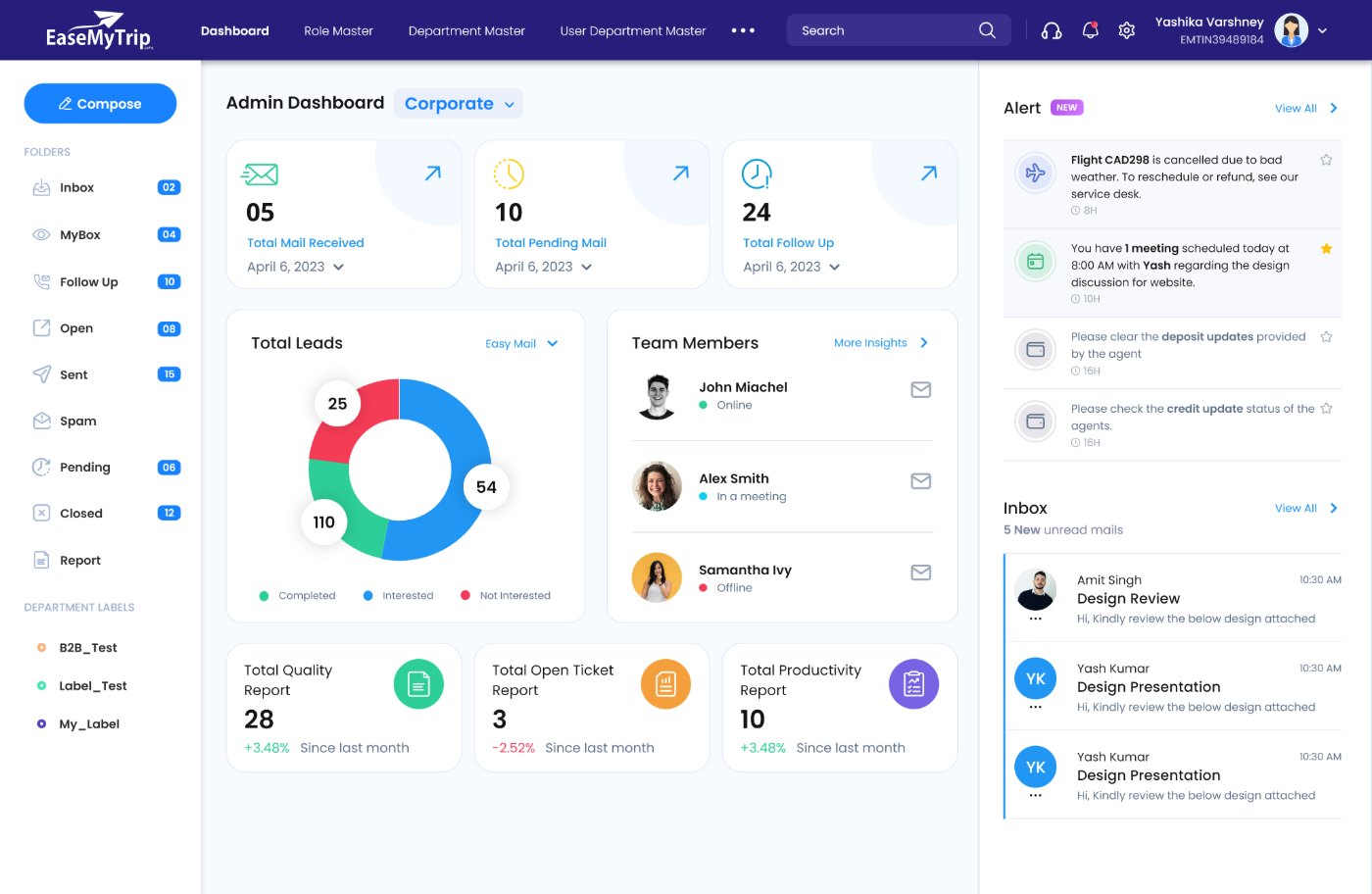
Decisions, not data
The dashboard is a control centre for leads. Every tile answers a question they'd otherwise ask someone: what came in, what's stuck, who is free, what's slipping. Alerts and unread mail sit in a persistent right rail so nothing needs to be hunted for.
Everything without leaving the thread
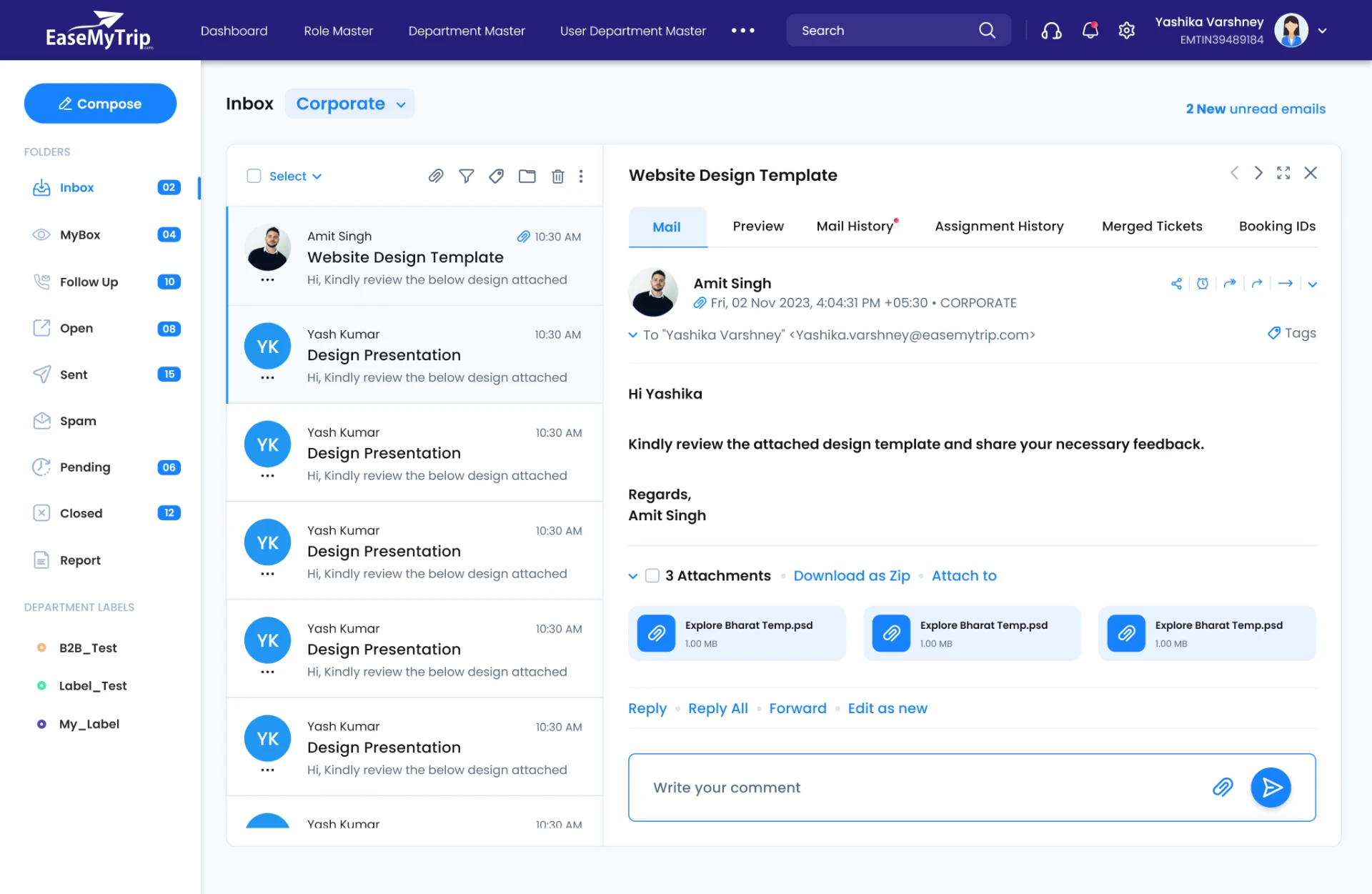
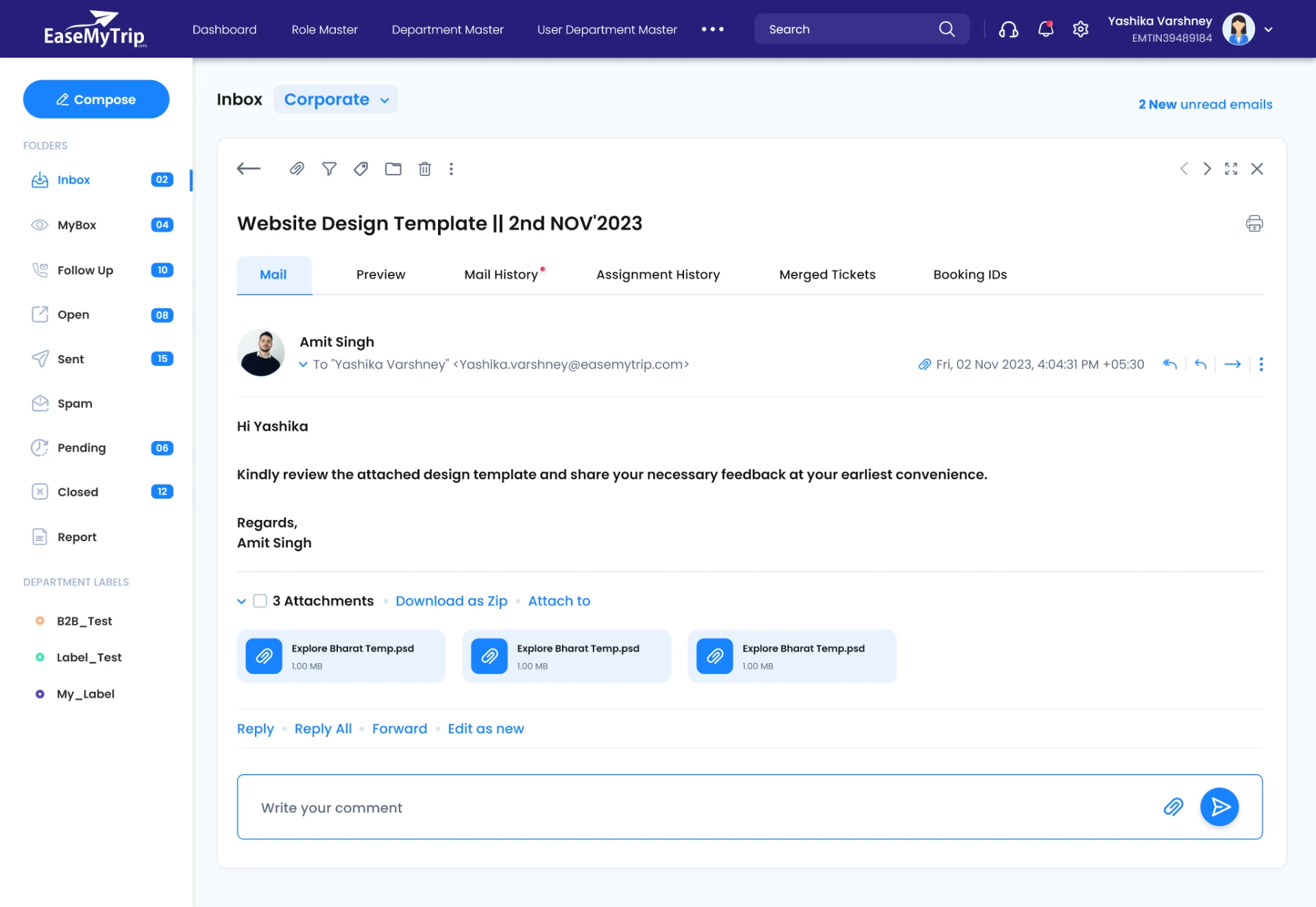
The inbox is the heart of EasyMail. Rather than a mail client with a ticket bolted on, it's a split-view workspace where reading, replying, reassigning, merging and commenting all happen in place. Ticket context is exposed as tabs above the message, so the agent never loses the conversation.
One table pattern, every queue
MyBox, Open, Follow Up, Pending and Closed are the same table with a different filter and a different action bar. Learning one queue teaches you all of them — and it let engineering ship new queues without new design.
Columns stay fixed across modules: replies, ticket ID, sender, subject, received on, last replier, assignee. The toolbar above the table is the only thing that changes per state.
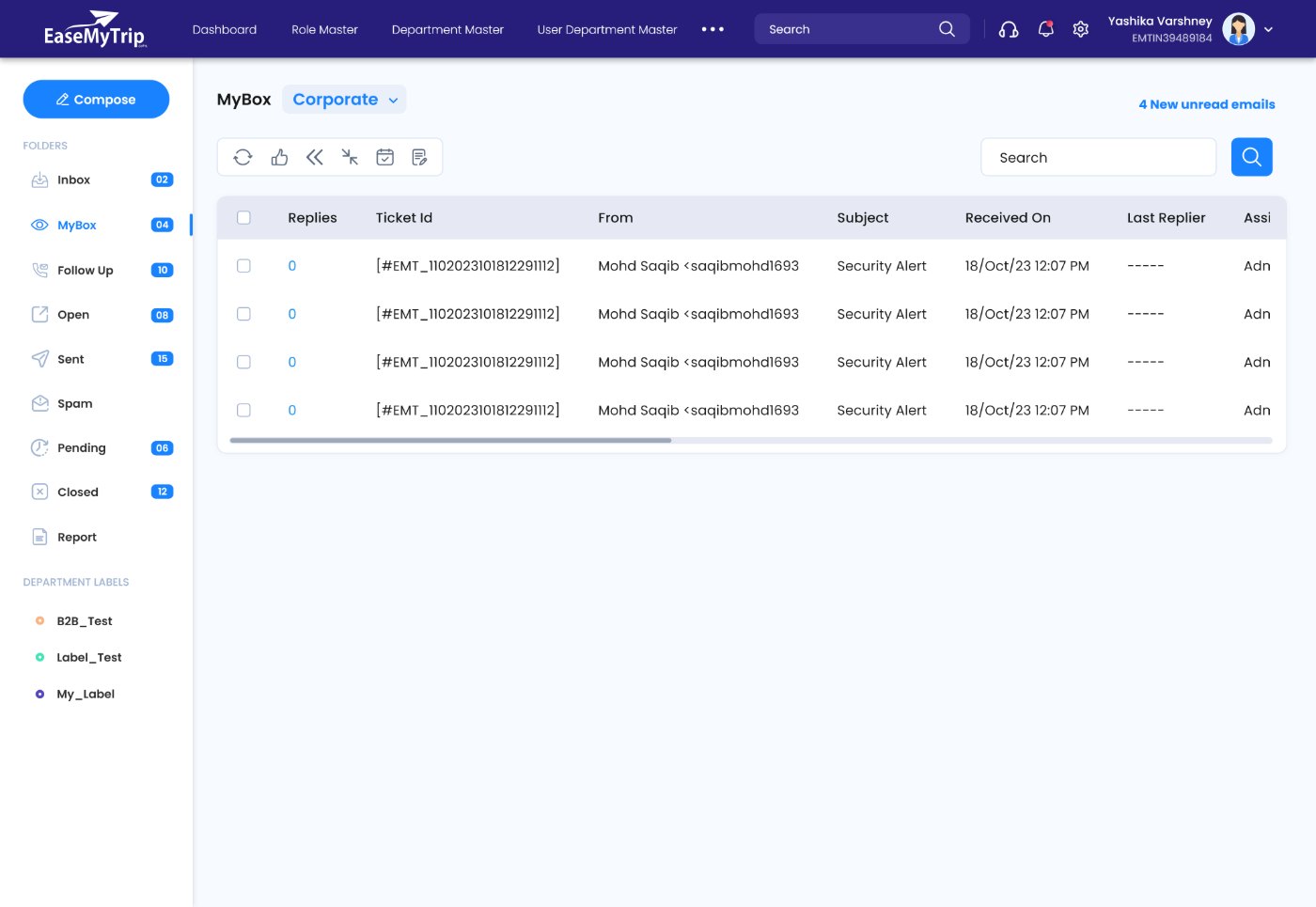
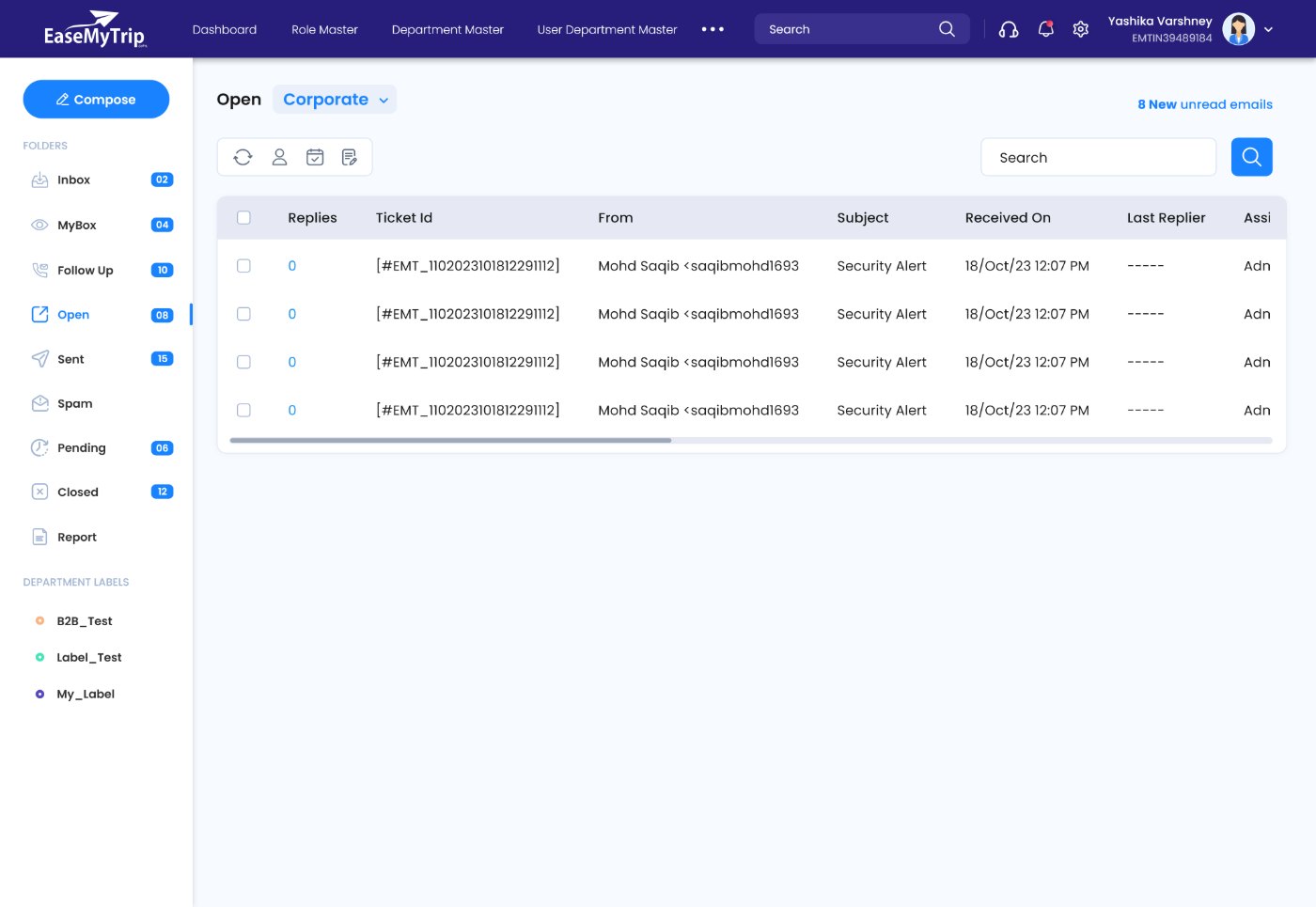
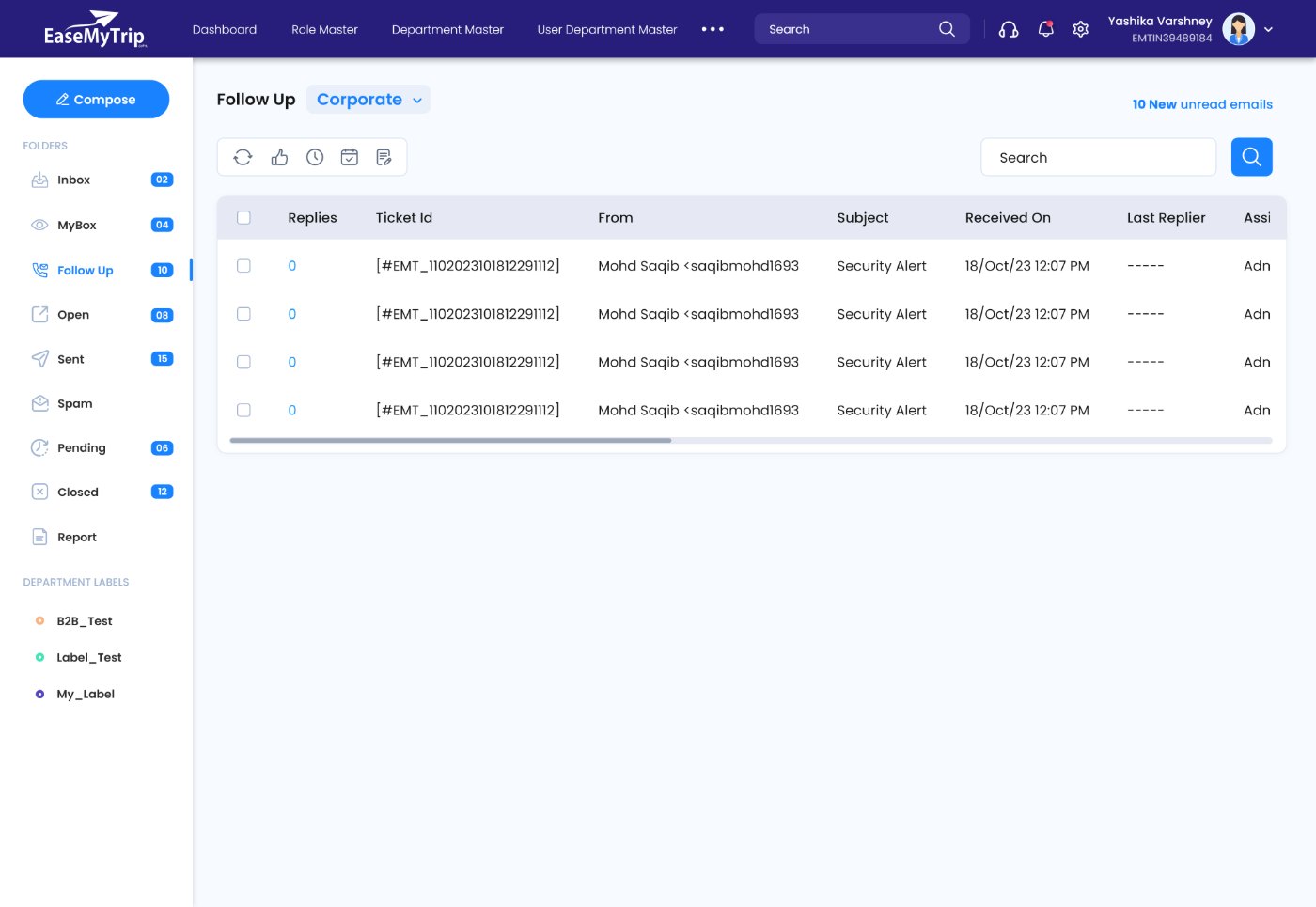
Fig. 05 — MyBox, Open and Follow Up share one table
Config as a product surface
Enterprise workflows differ per business unit. Rather than encoding those differences in code, EasyMail exposes them as admin modules — so a department can change how it works without an engineering ticket.
Create roles, edit permissions, control module visibility, and map users to departments, groups or teams.
Auto ticket generation, mail routing, reminder cadence and closure rules, configured per department.
Department-level labels appear in the agent sidebar, keeping taxonomy owned by the people who use it.
The kit behind the screens.
Dozens of screens across two products meant components had to be defined once and reused everywhere — the only way six months of releases stayed consistent.
Colour
Type scale
Grid & density
Components
Status chips in use
Core UX decisions
Primary actions persist through the workflow instead of hiding in menus. Fewer clicks per ticket compounds over a thousand a day.
Reusable table behaviour — sort, select, bulk action — identical across every enterprise module.
Read, reply, review history and open attachments without ever leaving context.
Readability, density and speed over decoration. The interface is a tool people use for eight hours.
What changed.
EasyMail replaced fragmented workflows with a single enterprise platform. Support teams now handle email and tickets from one workspace, and departments run standardised processes they configure themselves.
- → Operational visibility for leadership, live rather than reported.
- → Admin configuration and onboarding simplified to self-service.
- → A modular architecture that absorbs new departments without redesign.
* Usage metrics and operational KPIs remain confidential.
Key learnings
- 1Enterprise design optimises for operational efficiency, not delight.
- 2A component system is what lets a small design team ship at engineering's pace.
- 3Supporting three distinct roles in one product means designing three hierarchies over one data model.
- 4Business requirements and usability are negotiated, not balanced — you need the rationale ready.