One workspace for an entire travel operation.
EaseMyTrip's internal teams ran flights, hotels, holidays, visa, insurance and supplier networks across a dozen disconnected tools. I designed the enterprise CRM that folded all of it into a single, scalable platform.
- ROLE
- UI/UX Designer — end-to-end
- YEARS
- 2024 — 2025
- TYPE
- Enterprise SaaS
- SCOPE
- 14 modules
- TEAMS
- 6 departments
Twelve tools became one surface.
As the travel ecosystem expanded across flights, hotels, holidays, visa, insurance, corporate travel and supplier networks, internal teams were stitching workflows together by hand — copying booking IDs between systems, chasing approvals over email, reconciling numbers in spreadsheets.
The CRM replaced that with one interface where queries, bookings, payments, suppliers and internal collaboration all live next to each other — and share the same navigation, filters and vocabulary.
Disconnected logins, duplicated records, no shared source of truth.
Fragmentation was costing hours, every single day.
Different teams used different tools for queries, bookings, payments and communication. The friction compounded at every handoff.
Agents switched apps and manually hunted for booking data before they could answer a single customer.
The same record was re-keyed into three systems — introducing errors nobody owned or could trace.
Managers had no real-time oversight, so servicing quality varied wildly between teams and regions.
- 01Centralise operationsReplace disconnected systems with one platform.
- 02Improve productivityCut repetitive tasks and shorten every workflow.
- 03Increase visibilityReal-time dashboards and reporting for managers.
- 04Standardise processesReusable workflows for customer servicing.
- 05Build for scaleAbsorb future travel products without a redesign.
Six departments, one interface.
Each role has its own jobs and permissions — but the same mental model of the product.
- — Booking assistance
- — Cancellations & refunds
- — Customer communication
- — Leads & corporate accounts
- — Meetings & follow-ups
- — Proposals
- — Payment requests
- — Wallet management
- — Gift reports
- — Vendor management
- — Documentation
- — Destination mapping
- — Booking monitoring
- — Same-day cancellations
- — Utilities & reports
- — Dashboard analytics
- — Performance monitoring
- — Team visibility
How it was built.
Stakeholder interviews, shadowing agents, auditing the legacy tools.
Sorting hundreds of functions into navigation people could predict.
Enterprise layouts tuned for speed, density and keyboard-heavy work.
Iterations with each department, then specs, states and edge cases for engineering.
Hundreds of functions, three mental buckets. Every module inherits the same shell: left navigation, filter bar, data surface, contextual side panel.
- └ Query
- └ Inbox
- └ Communication
- └ Notes
- └ Lead management
- └ Meetings
- └ Corporate & direct client
- └ Booking management & reports
- └ Wallet & payment requests
- └ Masters & utilities
Density without noise.
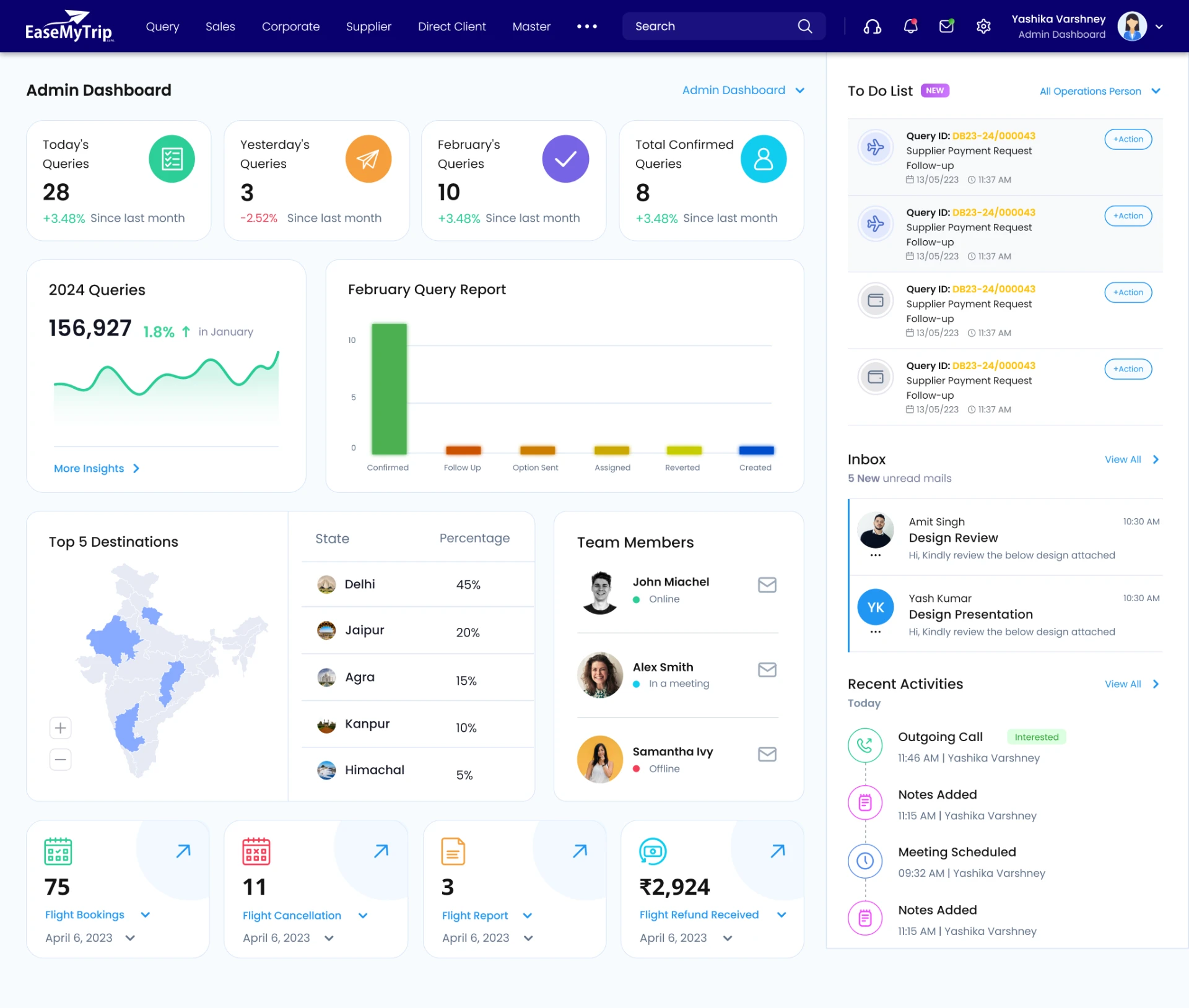
Instant visibility into today's queries, regional performance, flight reports, cancellations and personal to-dos — before a single click.
Design decision: group data into digestible cards, keep charts to one insight each, and pin a live activity rail so users never leave the page to know what changed.
The heart of customer operations. Filter by query ID, destination or priority, and move on large booking volumes without leaving the table.
- → Passenger count, turnover and margin inline
- → Supplier and company payment status per booking
- → Bulk actions across selected rows
- → Column density and saved views per role
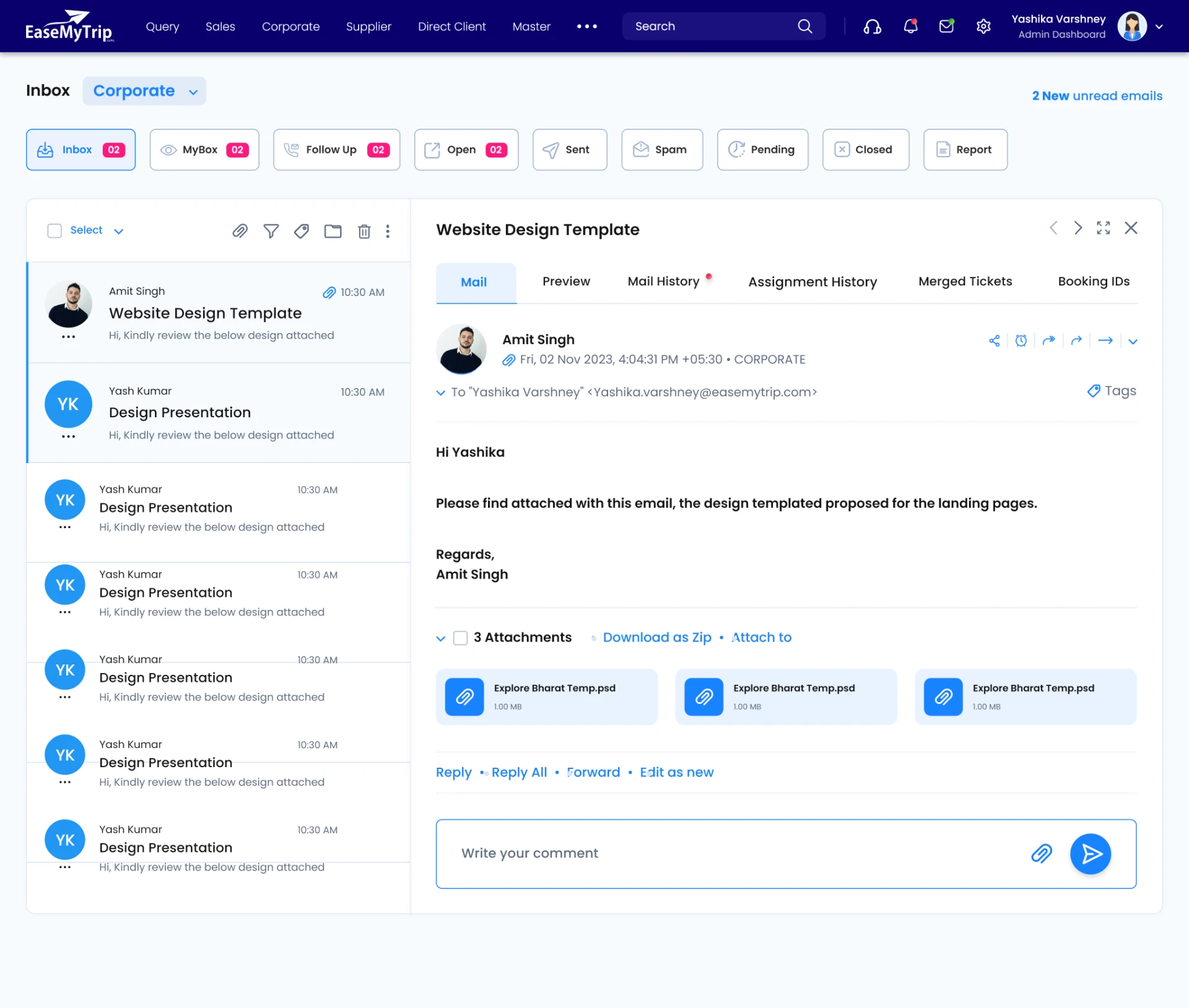
Reply, track history, merge tickets and fire predefined templates without an external mail client.
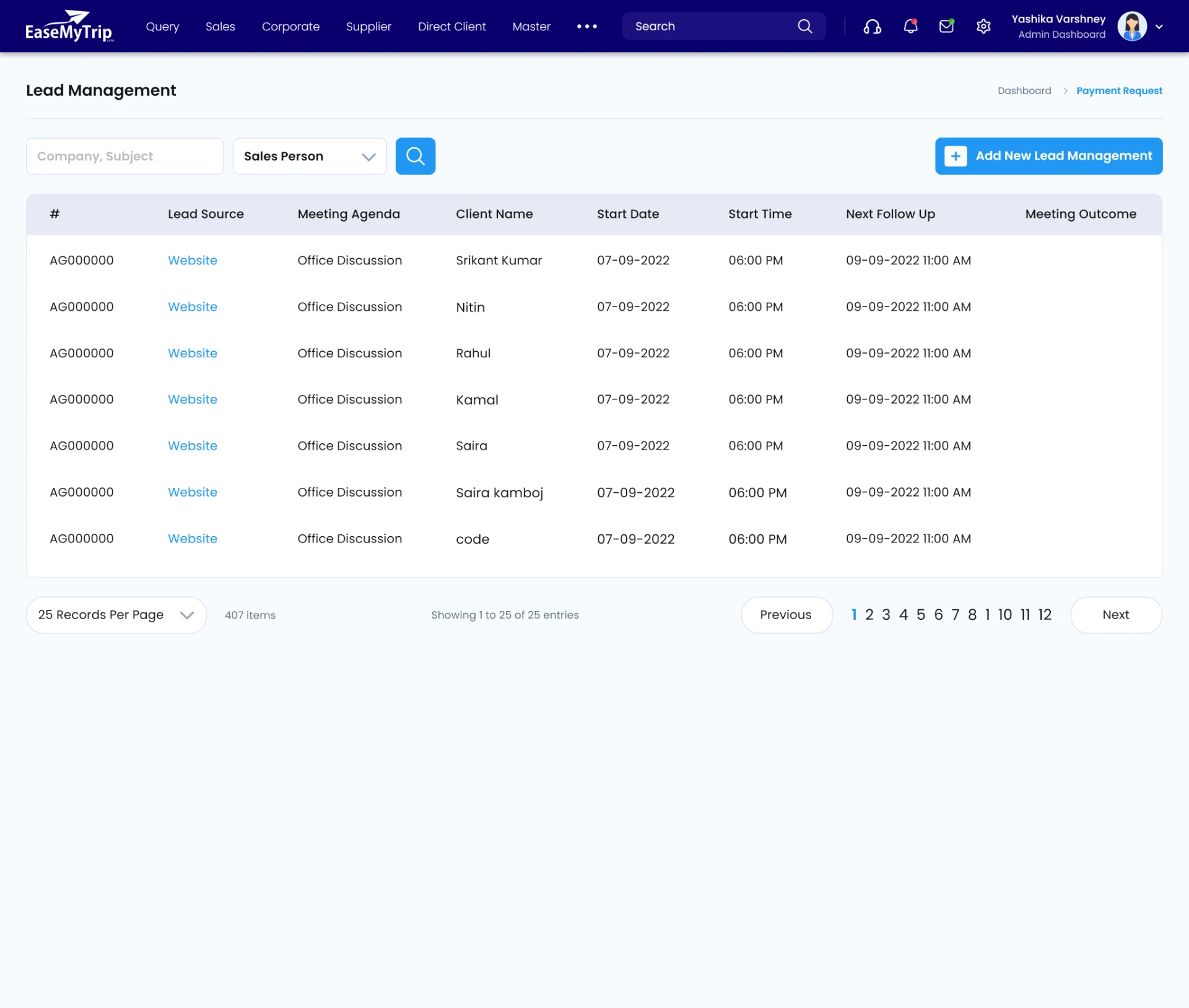
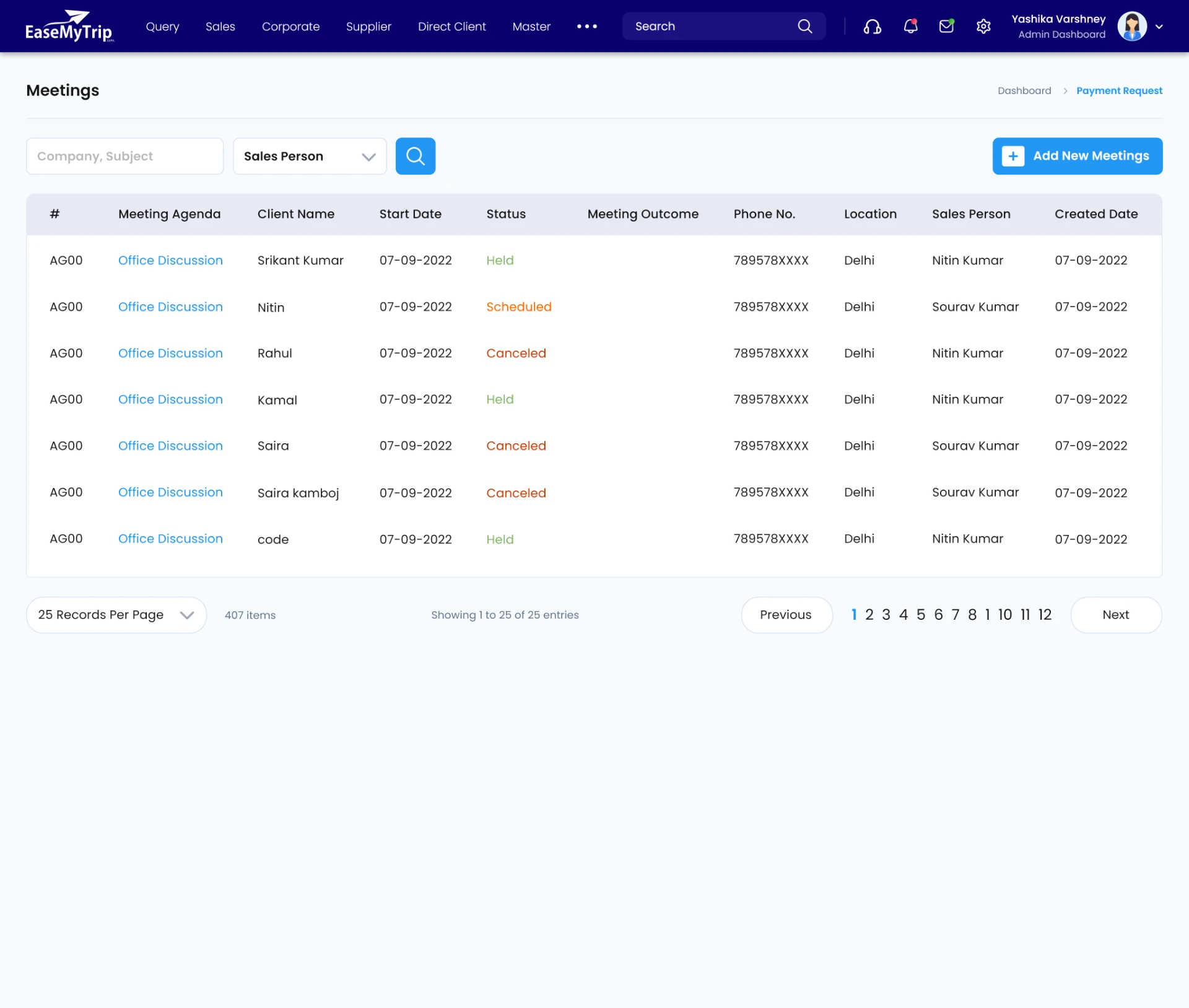
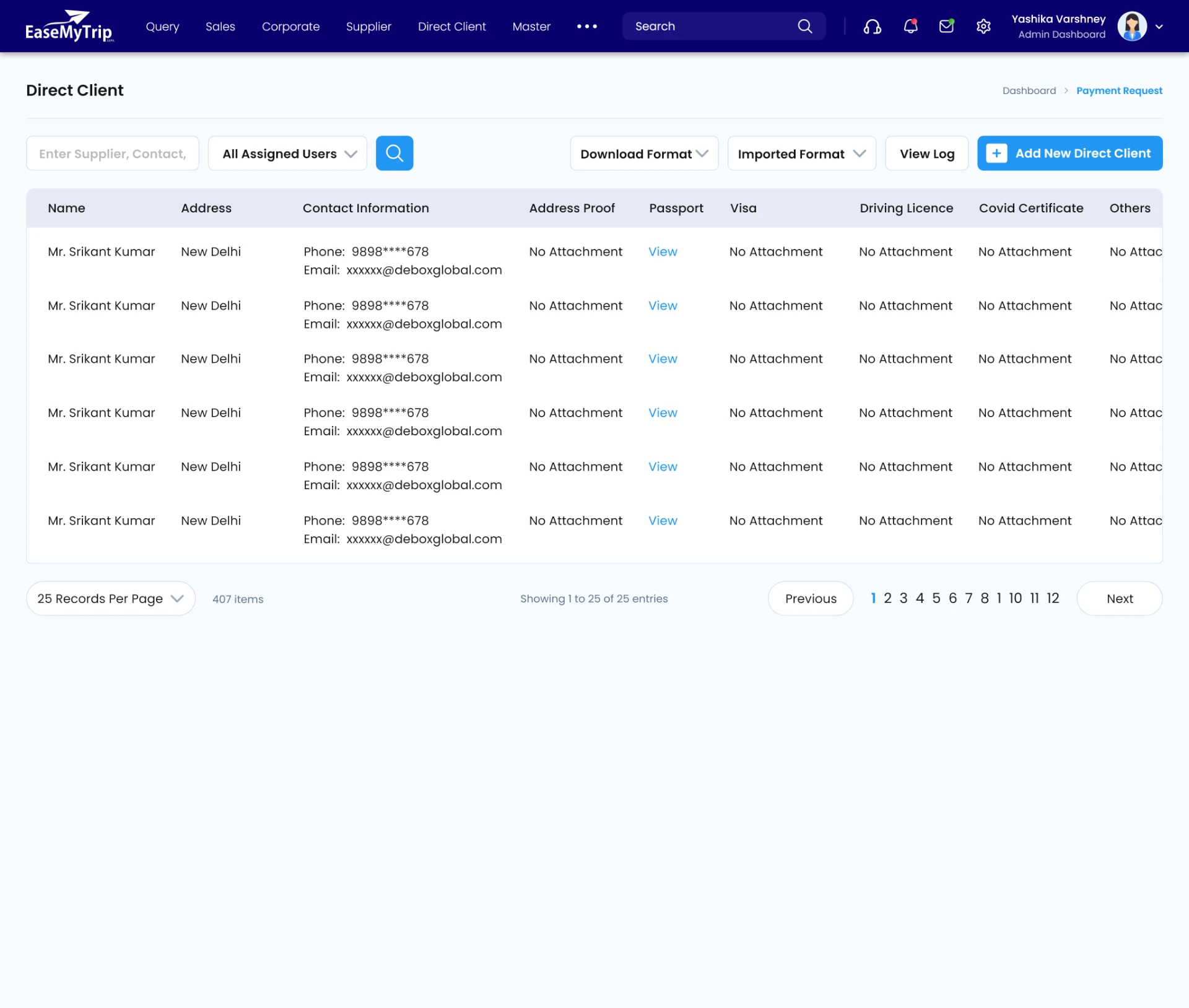
Prospects, colour-coded meeting statuses and a separate lane for corporate workflows.
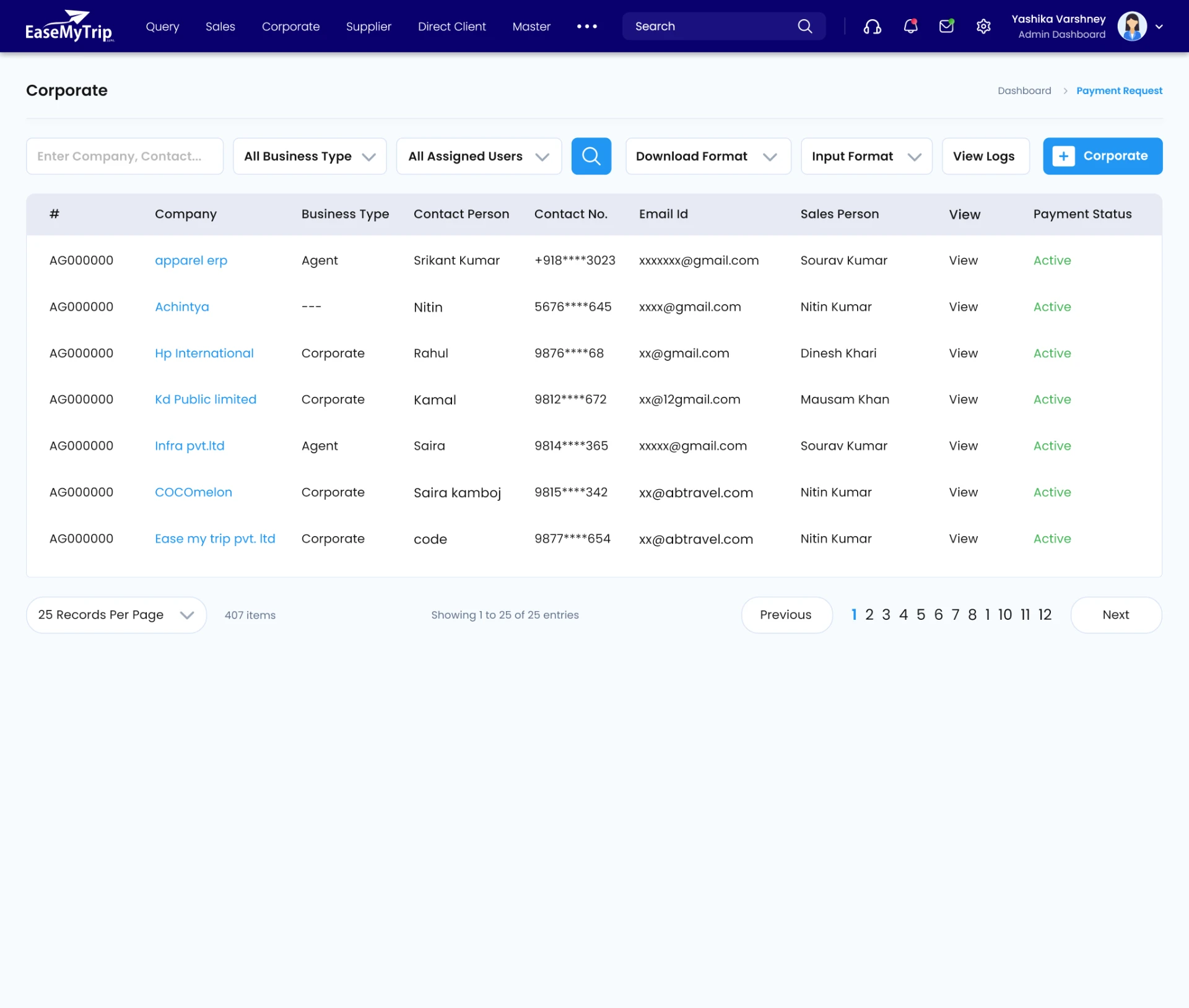
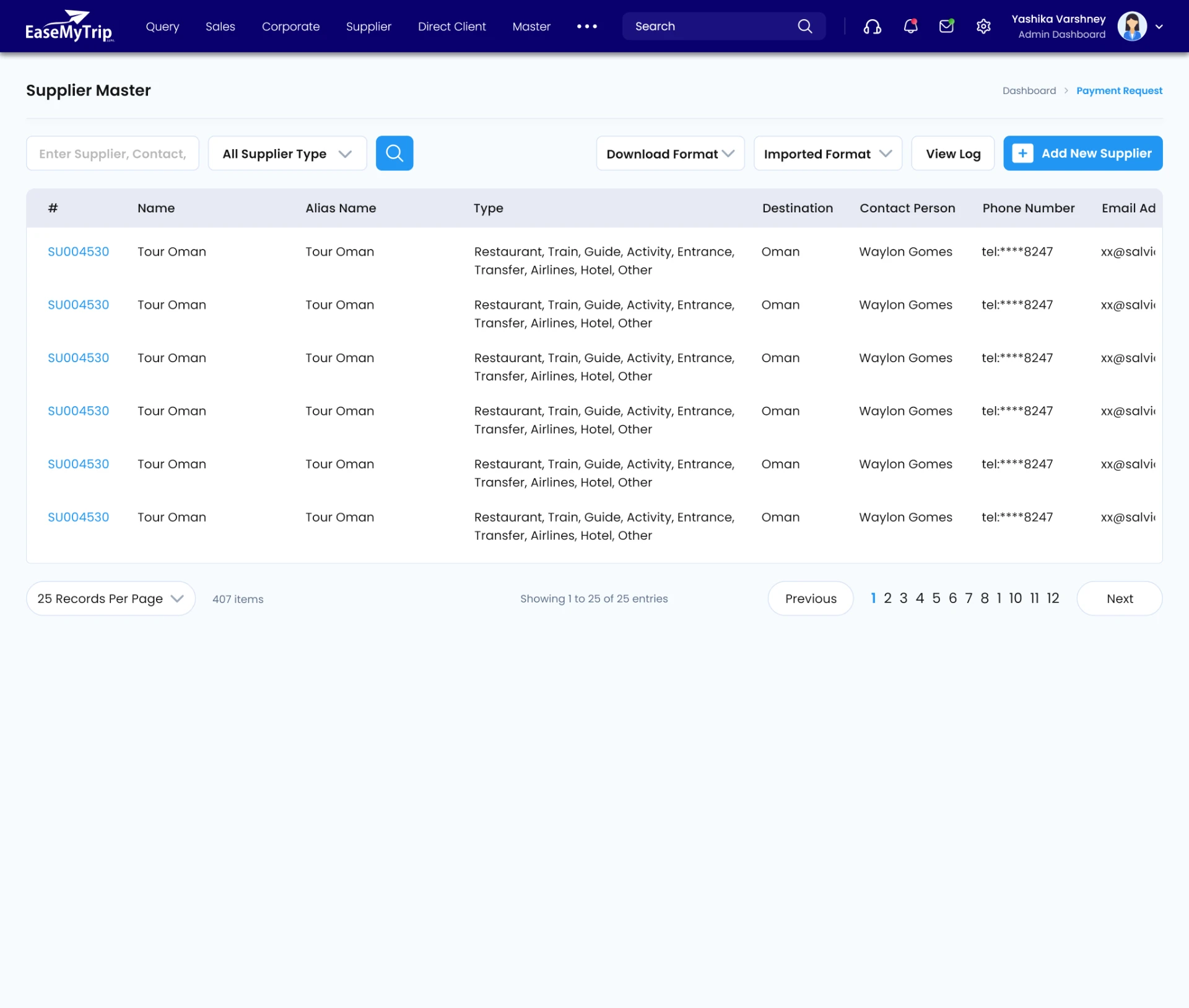
Global vendors, destination coverage and filterable profiles to find a supplier in seconds.
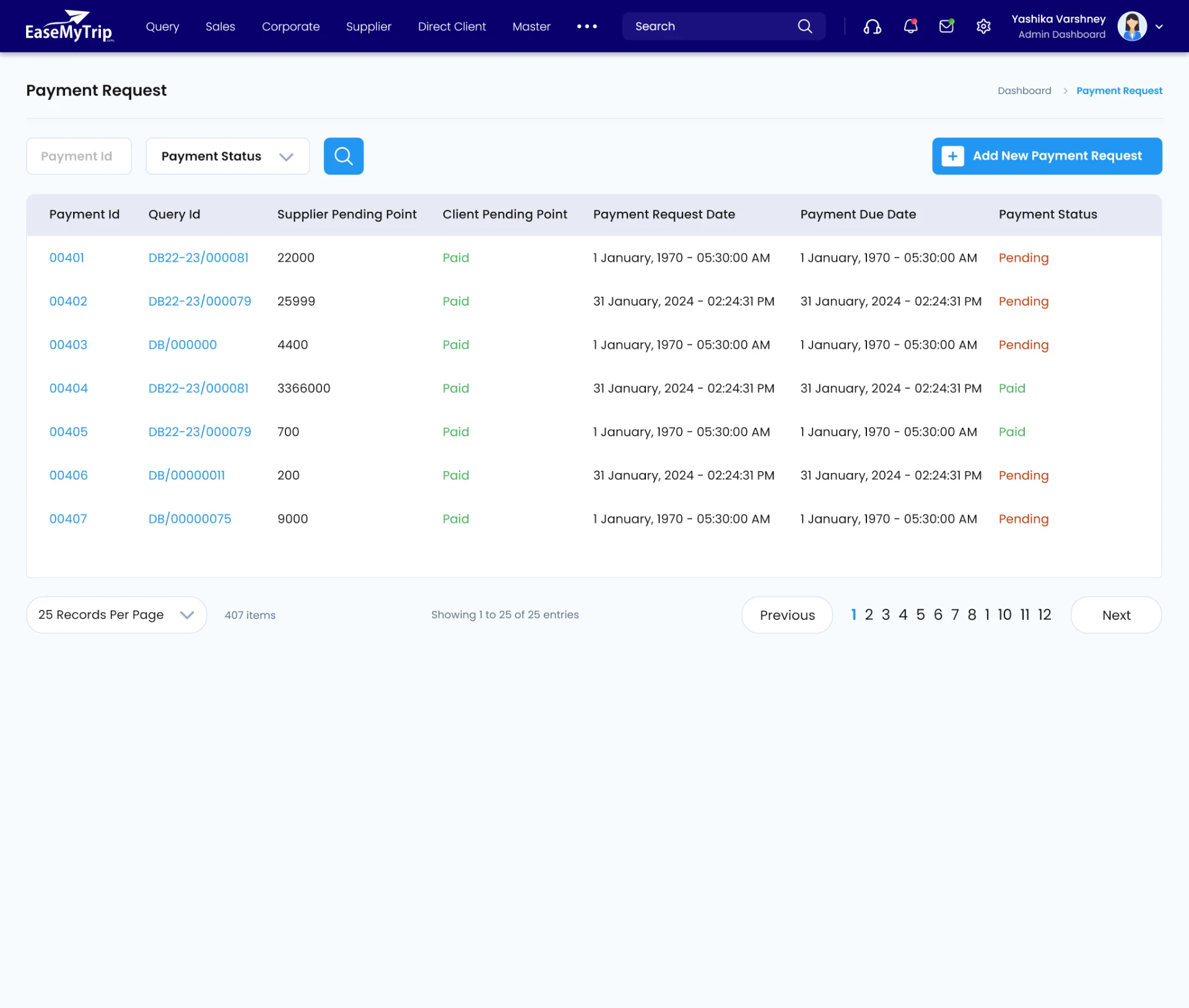
Supplier payment requests, customer wallets and gift cards in one ledger view.
Flight, hotel, train, sales and agency statements built from one reusable filter set.
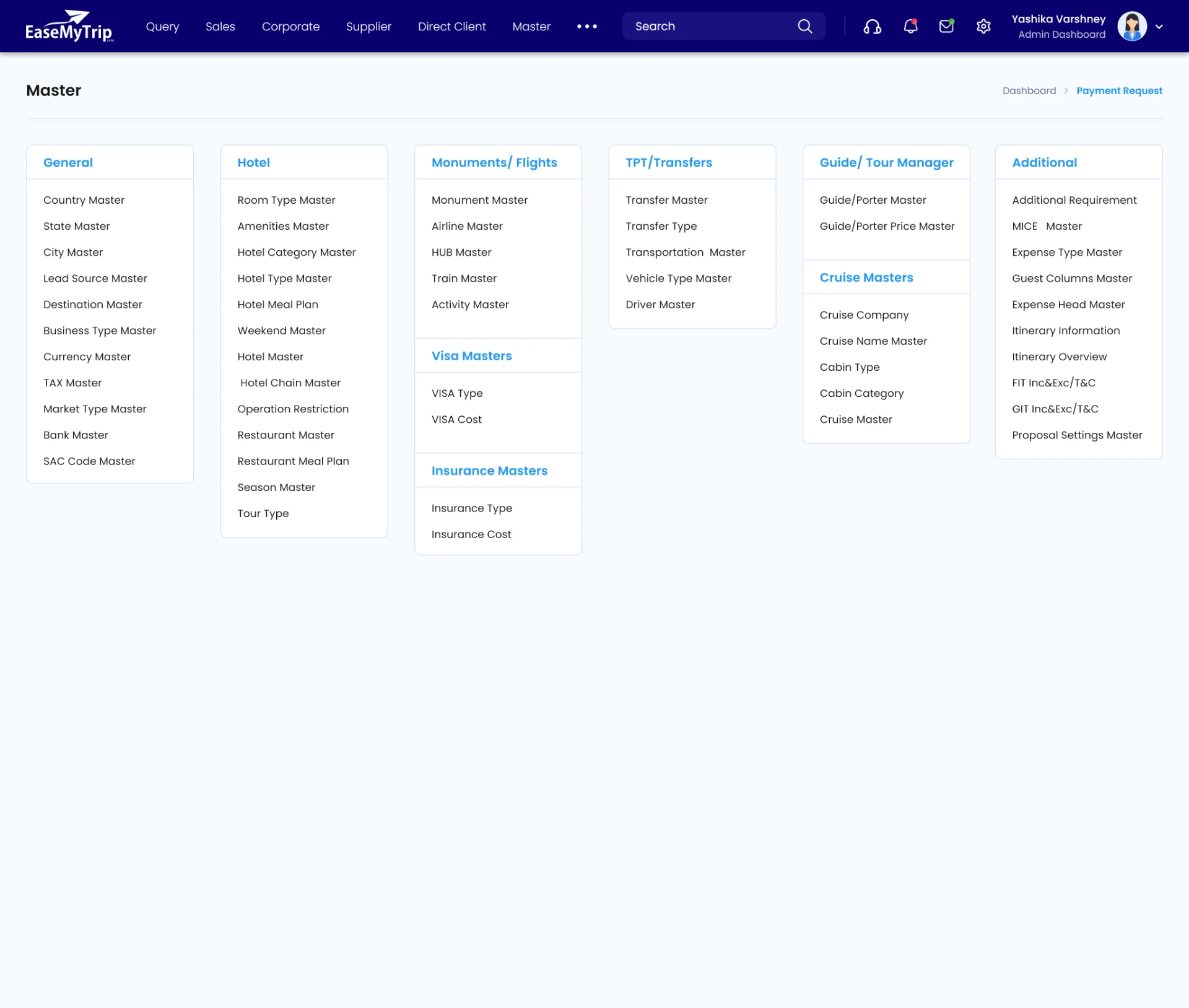
Admin surface for countries, cities, airlines and operational lookups.
A shared kit so fourteen modules ship like one product.
Poppins across the whole product — its even geometric widths hold up at 13px in dense tables and still carry weight in dashboard headings.
Reusable primitives cut design-to-dev time and kept behaviour predictable as new travel products were added.
Critical numbers surface before the table; everything else is one click away.
Shared shell, filters and chips so learning one module teaches you all fourteen.
Saved views, bulk actions and templates remove the repeat keystrokes.
Deliberate spacing and status colour so a 40-column table stays scannable.
- ✕ Organising hundreds of operational features into navigation that never felt like a menu maze.
- ✕ Balancing high information density with readability on data-heavy screens.
- ✕ Serving six roles with different permissions inside the same application shell.
- ✕ Designing patterns that would still hold when the next travel product arrived.
The CRM became the backbone of internal operations.
Fragmented workflows turned into a unified digital workspace — teams work faster, and customers feel it on the other end of the line.
One workspace for every operational team.
Bookings, customers and suppliers a search away.
Consistent communication and documentation.
A foundation the ecosystem keeps growing into.
Enterprise design is less about screens and more about agreements — on vocabulary, on hierarchy, on which patterns everyone reuses.
Working across six departments taught me to simplify intricate business logic without hiding it, and to build systems thousands of internal users rely on daily.